 Image 1 of 5
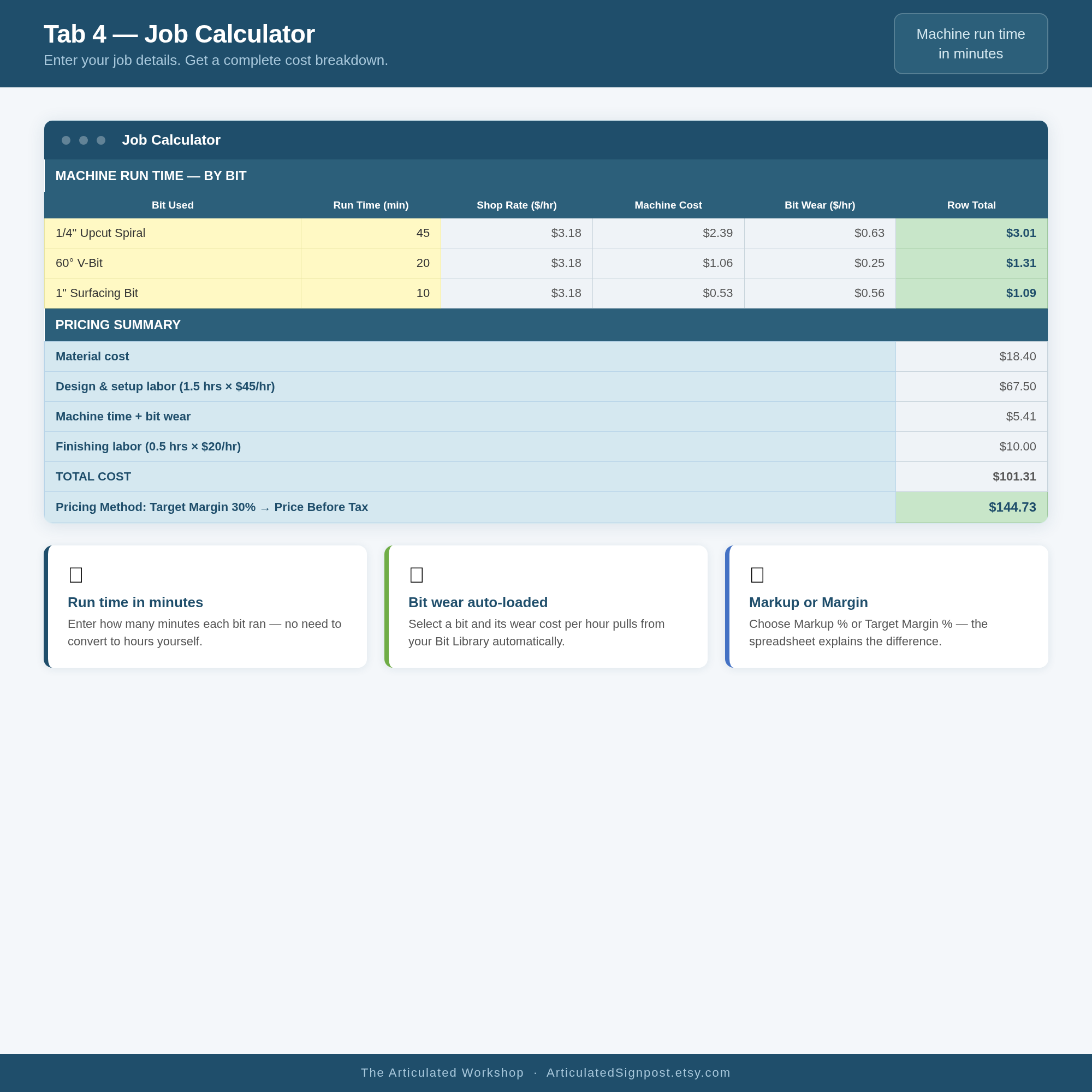 Image 2 of 5
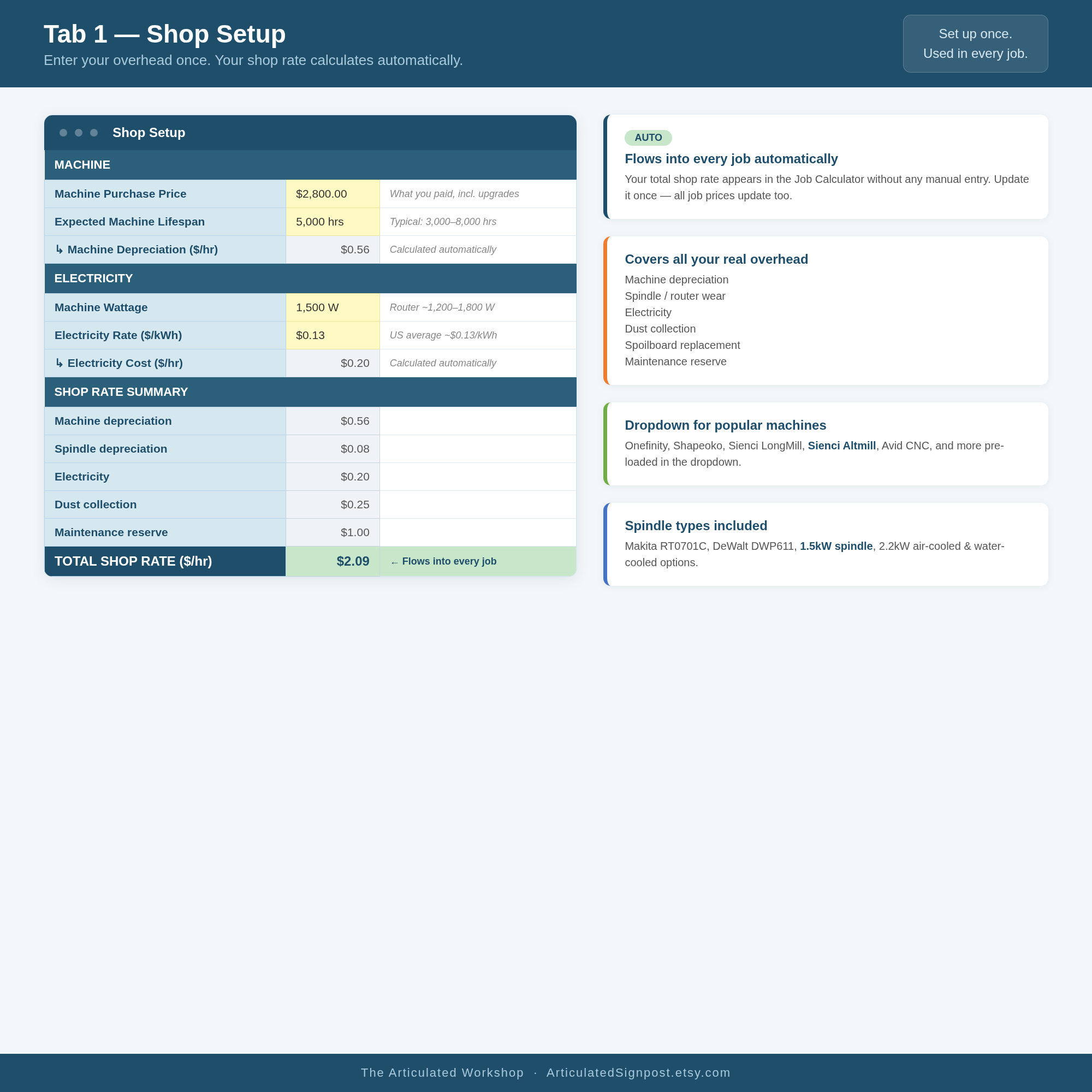 Image 3 of 5
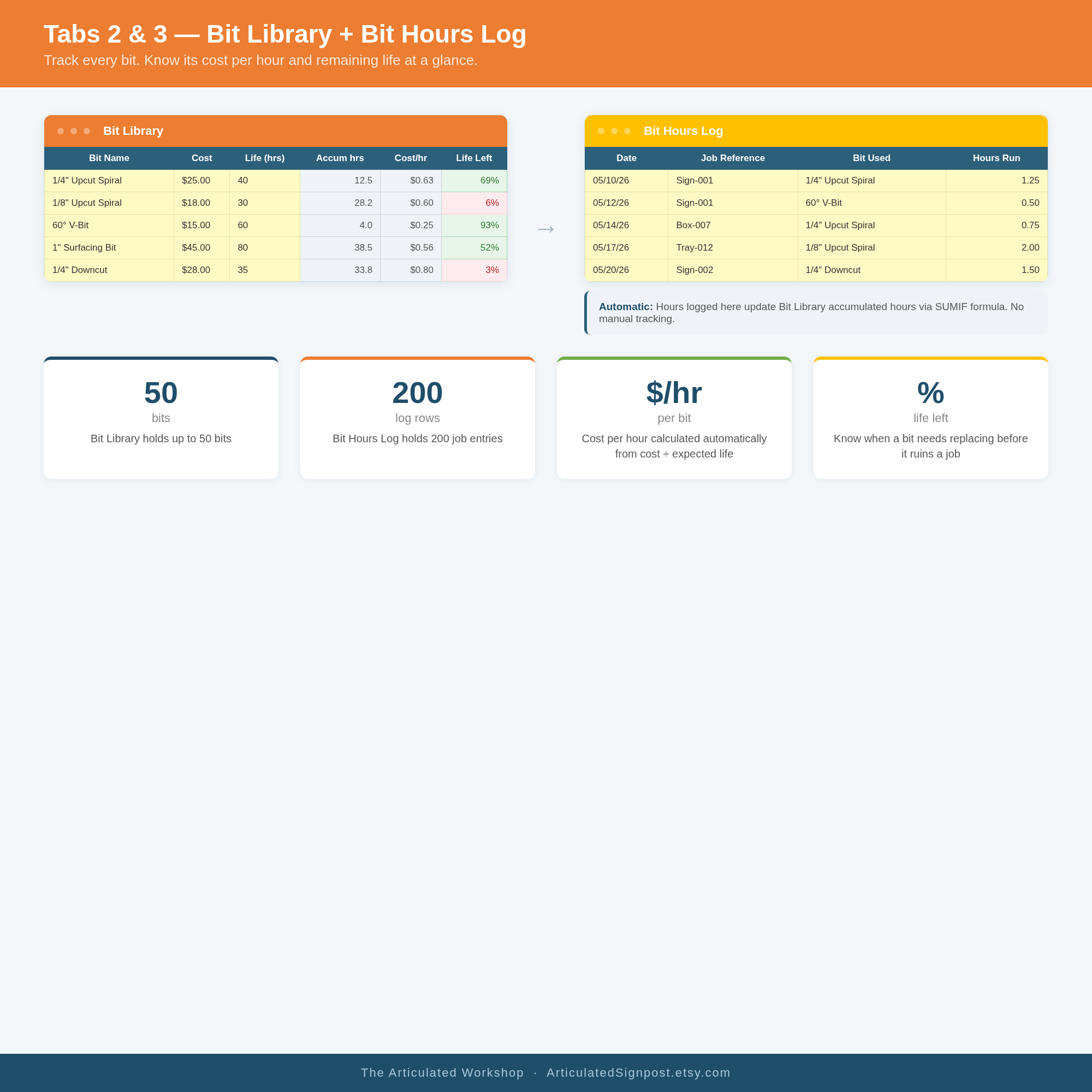 Image 4 of 5
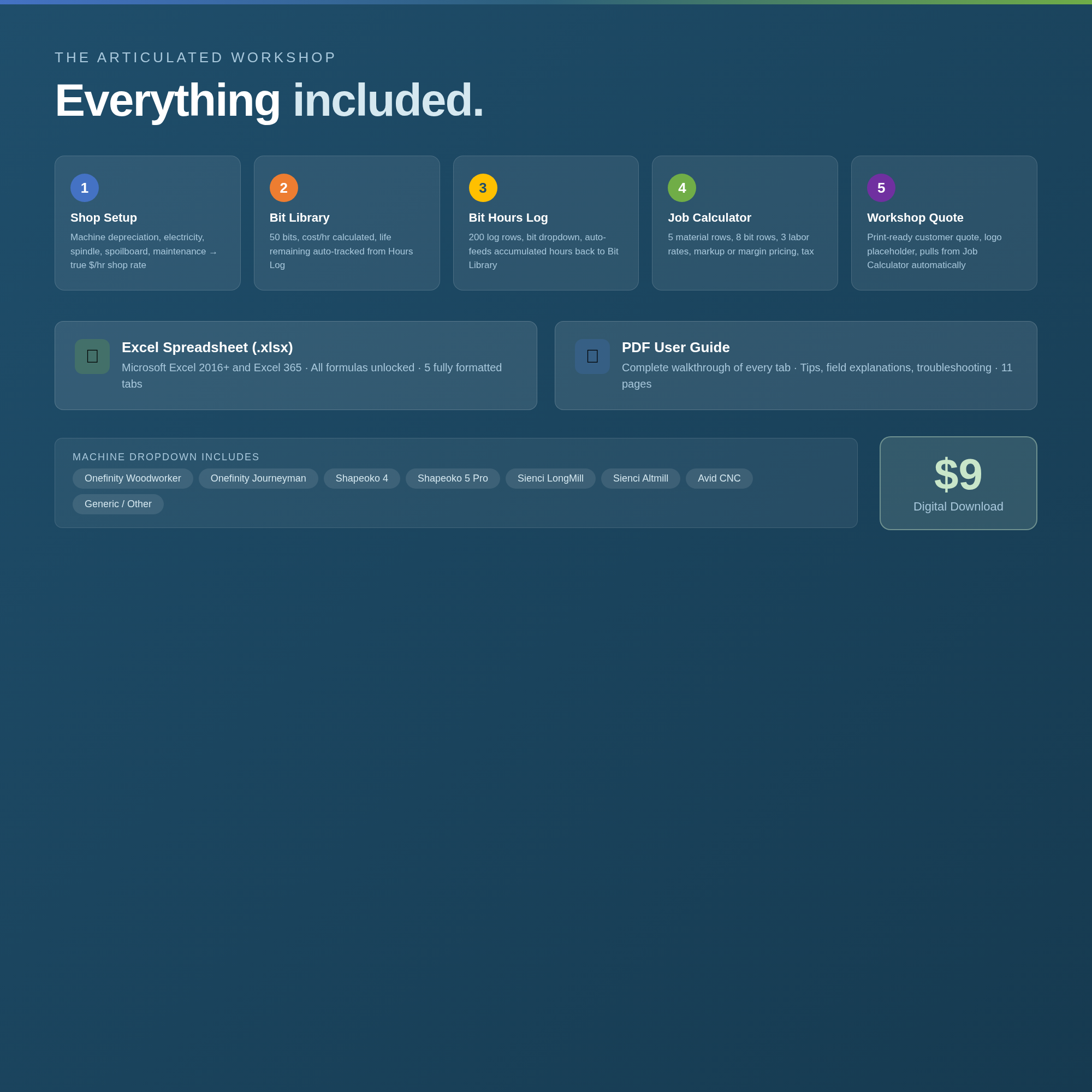 Image 5 of 5
Stop guessing what your jobs actually cost.
This spreadsheet tells you.
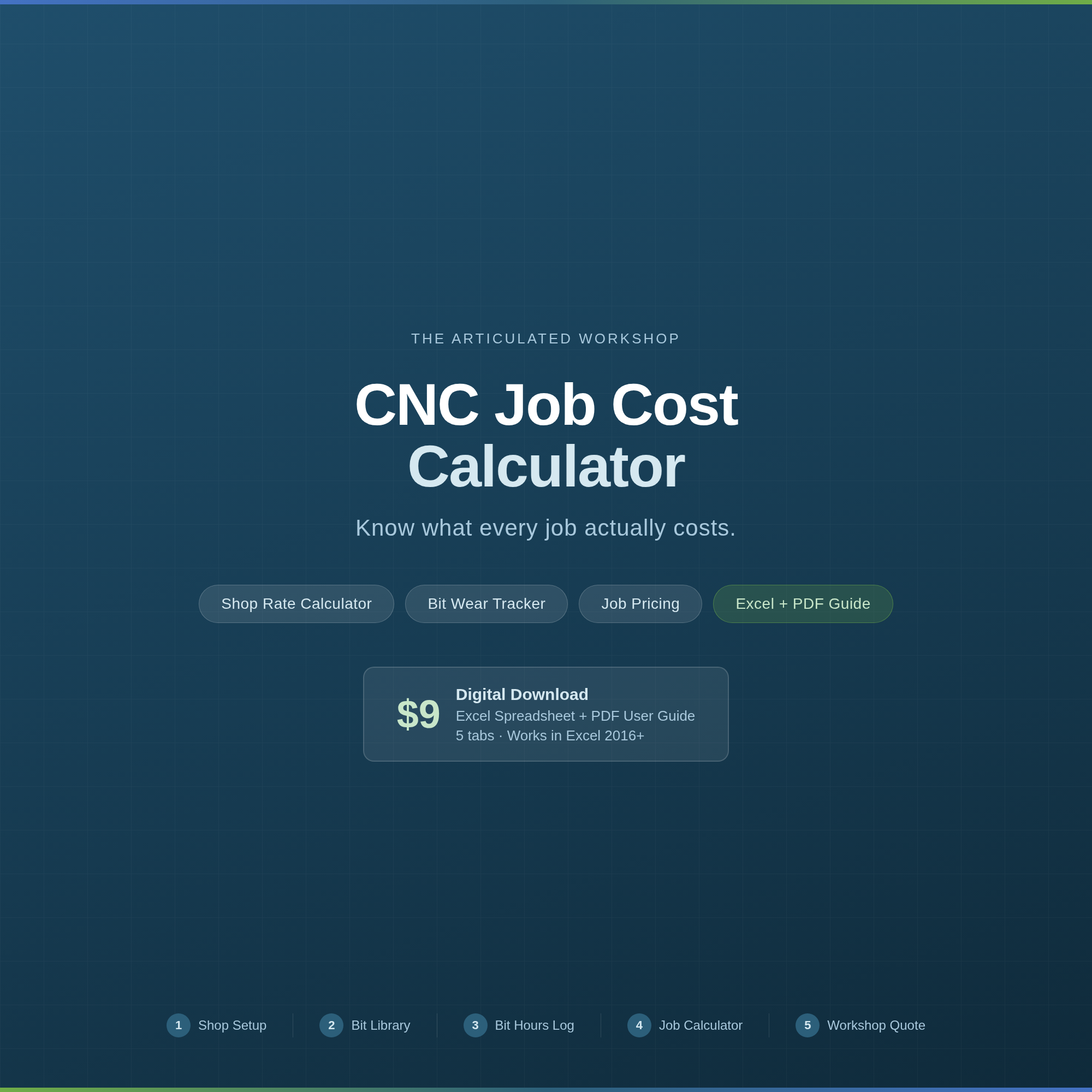
The CNC Job Cost Calculator is a five-tab Excel workbook for hobbyist CNC operators who run a side business — or who want to start charging what their work is actually worth. No accounting background required. Enter your numbers once, and the math takes care of itself.
Shop Setup
Enter your machine cost, spindle type, electricity rate, dust collector, spoilboard, and maintenance reserve. The tool calculates your true shop rate in dollars per hour. That number flows automatically into every job you price — you never have to enter it again.
Bit Library
Track up to 100 bits. Give each bit a nickname, add its cost and expected life, and the spreadsheet calculates cost per hour and remaining life automatically. You’ll know when a bit needs replacing before it costs you a job.
Bit Hours Log
Log every run: date, job reference, bit used, and minutes of run time. Accumulated hours update the Bit Library automatically. No manual math.
Job Calculator
The heart of the tool. Price any job by entering:
• Materials (up to 5 material types with waste factor built in)
• Design and setup time at your design rate
• Machine run time per bit, in minutes, at your shop rate
• Finishing labor at a separate lower rate
Supports both Markup % and Target Margin % pricing — with a plain-English explanation of the difference. Outputs total price, price per unit, profit, and actual gross margin. Tax included.
Workshop Quote
A clean, print-ready customer quote that pulls directly from your Job Calculator. Add your business name and logo and it’s ready to send.
• Excel (.xlsx) file — works in Microsoft Excel 2016 and newer, including Excel 365
• PDF User Guide — an 11-page walkthrough of every tab, with tips and troubleshooting
After purchase, you’ll receive an email with a download link.
Machine dropdown includes: Onefinity Woodworker, Onefinity Journeyman, Shapeoko 4, Shapeoko 5 Pro, Sienci LongMill, Sienci Altmill, Avid CNC, and Generic.
Works with Microsoft Excel 2016 or newer. Not compatible with Google Sheets without modification.
Use the contact form — I’ll get back to you.
Built by The Articulated Workshop — tools for makers who mean business.
Stop guessing what your jobs actually cost.
This spreadsheet tells you.
The CNC Job Cost Calculator is a five-tab Excel workbook for hobbyist CNC operators who run a side business — or who want to start charging what their work is actually worth. No accounting background required. Enter your numbers once, and the math takes care of itself.
Shop Setup
Enter your machine cost, spindle type, electricity rate, dust collector, spoilboard, and maintenance reserve. The tool calculates your true shop rate in dollars per hour. That number flows automatically into every job you price — you never have to enter it again.
Bit Library
Track up to 100 bits. Give each bit a nickname, add its cost and expected life, and the spreadsheet calculates cost per hour and remaining life automatically. You’ll know when a bit needs replacing before it costs you a job.
Bit Hours Log
Log every run: date, job reference, bit used, and minutes of run time. Accumulated hours update the Bit Library automatically. No manual math.
Job Calculator
The heart of the tool. Price any job by entering:
• Materials (up to 5 material types with waste factor built in)
• Design and setup time at your design rate
• Machine run time per bit, in minutes, at your shop rate
• Finishing labor at a separate lower rate
Supports both Markup % and Target Margin % pricing — with a plain-English explanation of the difference. Outputs total price, price per unit, profit, and actual gross margin. Tax included.
Workshop Quote
A clean, print-ready customer quote that pulls directly from your Job Calculator. Add your business name and logo and it’s ready to send.
• Excel (.xlsx) file — works in Microsoft Excel 2016 and newer, including Excel 365
• PDF User Guide — an 11-page walkthrough of every tab, with tips and troubleshooting
After purchase, you’ll receive an email with a download link.
Machine dropdown includes: Onefinity Woodworker, Onefinity Journeyman, Shapeoko 4, Shapeoko 5 Pro, Sienci LongMill, Sienci Altmill, Avid CNC, and Generic.
Works with Microsoft Excel 2016 or newer. Not compatible with Google Sheets without modification.
Use the contact form — I’ll get back to you.
Built by The Articulated Workshop — tools for makers who mean business.